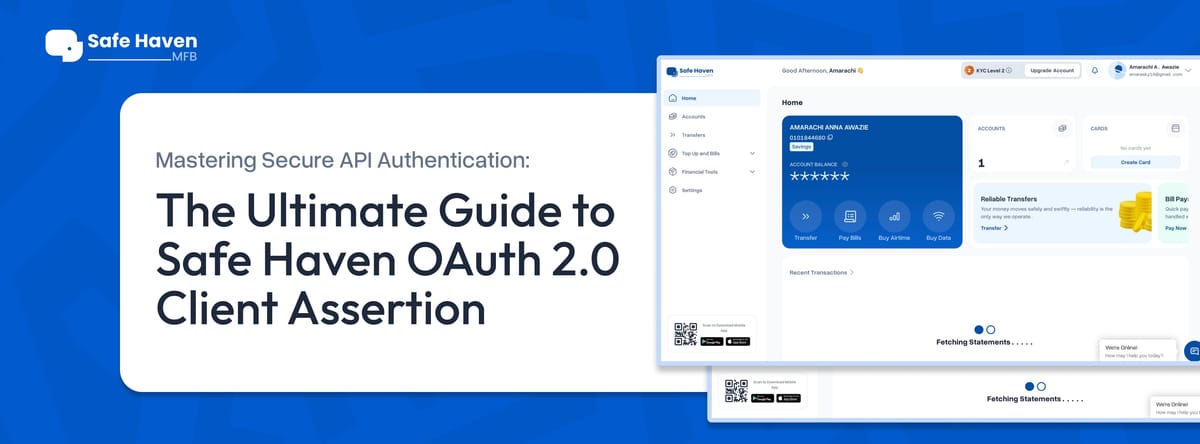
Mastering Secure API Authentication: The Ultimate Guide to Safe Haven OAuth 2.0 Client Assertion
Securing machine to machine communication is essential in modern fintech. This guide explains how to use Safe Haven’s OAuth 2.0 Client Assertion flow to generate secure access tokens and safely connect to protected API endpoints.
In the modern landscape of financial technology, securing machine-to-machine (M2M) communication is not just a best practice; it is a foundational requirement. As applications become more interconnected, the methods we use to prove identity must evolve beyond simple passwords. This guide provides a comprehensive deep dive into accessing Safe Haven API endpoints using the OAuth 2.0 Client Assertion flow—a mechanism that represents the "gold standard" for secure, robust, and scalable authentication.
Introduction: Navigating the Security Landscape
Before implementing any financial API, it is essential to understand the tools at your disposal. Safe Haven provides a sophisticated suite of banking services, ranging from account creation and virtual accounts to Value Added Services (VAS) and credit checks. Accessing these services requires a secure handshake between your server and Safe Haven’s authorization server.
What is an Access Token?
An access token is a digital credential issued by an authorization server (Safe Haven’s identity provider) to a client application. Think of it as a temporary, secure key. When your application calls a protected API endpoint, it includes this token in the header to prove it has been authorized to perform specific operations, such as creating a sub-account or initiating a transfer. It represents the specific permissions (scopes) granted to your application for a limited timeframe.
What is a Client Assertion?
A client assertion is a powerful mechanism used by an OAuth 2.0 client to authenticate itself without relying on a vulnerable shared secret. Instead of a password, the client uses a JSON Web Token (JWT) signed with a private key. This process provides cryptographic proof of identity. Because the authorization server holds the corresponding public key, it can verify that the request is genuine and has not been tampered with.
What is a JWT (JSON Web Token)?
A JWT is a compact, URL-safe means of representing claims to be transferred between two parties. In the context of Safe Haven, it acts as the envelope containing your identity claims (who you are, what you want to access, and how long the request is valid).
Why This Topic Matters
The primary reason for adopting the Client Assertion flow is security. Traditional shared secrets are easily compromised if they are accidentally checked into code repositories or intercepted. By using a private key to sign an assertion, you ensure that even if a third party intercepts the JWT, they cannot replicate the signature without your private key. This method is considered the gold standard for server-to-server communication where the "user" is the application itself.
Detailed Guide: The Lifecycle of a Secure Request
To successfully integrate with Safe Haven, you must follow a precise sequence of operations. This process ensures that your application is correctly identified and authorized before any financial data is exchanged.
1. Prerequisites for Integration
Before you can generate a token, you must have your environment correctly configured. You cannot proceed without the following three items:
- A Private App: Your application must be created within the Safe Haven dashboard and configured with the necessary permissions, specifically Read, Write, and Pay scopes.
- OAuth Client ID: This is a unique identifier available on your app details page. It acts as your "username" in the OAuth flow.
- Private Key: This key is generated during your app creation process. It must be kept secure and must include the -----BEGIN PRIVATE KEY----- header.
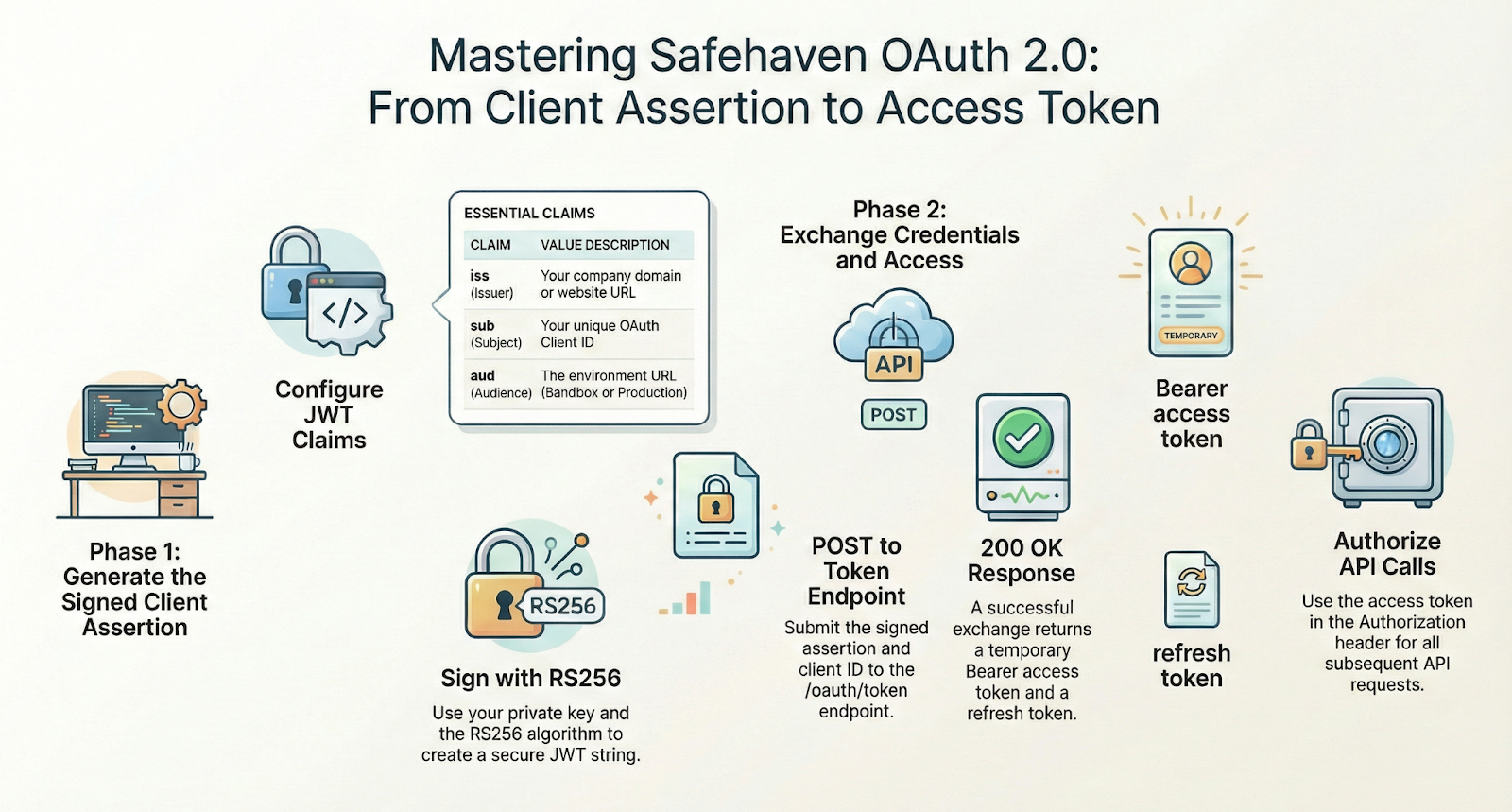
2. Step 1: Generating and Signing the Client Assertion
The client assertion is the heart of the authentication process. It is a JWT that you must construct and sign using your private key. You can do this using an online utility like Dinochiesa’s JWT tool or programmatically via a dedicated library.
The JWT consists of two primary parts that you must configure: the Header and the Payload.
The Header The header defines the algorithm used for the signature. For Safe Haven, you must use the following JSON:
{
"alg": "RS256",
"typ": "JWT"
}
RS256 indicates that the token is signed using an RSA private key and verified with a public key.
The Payload (Claims): The payload contains the "claims" or statements about your entity and the request. These must be filled accurately to be accepted:
- iss (Issuer): This is your company’s domain or website URL (e.g., https://yourcompany.com).
- sub (Subject): This must be your OAuth Client ID copied from the dashboard.
- aud (Audience): This defines the intended recipient of the token. For testing, use the sandbox URL: https://sandbox.safehavenmfb.com. For live transactions, use the production URL: https://api.safehavenmfb.com.
- iat (Issued At): The current Unix timestamp representing when the assertion was created.
- exp (Expiry): A future Unix timestamp. It is recommended to set this for 5 minutes after issuance to ensure a tight window of validity.
The Signing Process Once the JSON components are ready, you paste your Private Key into the signing section of your JWT tool. Ensure you tick the boxes for iat and typ if using an online tool, then generate the full signed string. This long, encoded string is your Client Assertion.
3. Step 2: Exchanging the Assertion for an Access Token
Once you have the signed JWT, you must exchange it for an actual Access Token. This is done by sending a POST request to the Safe Haven token endpoint.
- Sandbox URL: https://sandbox.safehavenmfb.com/oauth/token
- Production URL: https://api.safehavenmfb.com/oauth/token
The request must be sent with the content type application/x-www-form-urlencoded. The body must contain the following keys:
- grant_type: Always set to client_credentials.
- client_id: Your OAuth Client ID (must match the sub claim in your JWT).
- client_assertion_type: Must be exactly urn:ietf:params:oauth:client-assertion-type:jwt-bearer.
- client_assertion: The full, signed JWT string you generated in Step 1.
4. Step 3: Handling the Response
If your request is successful, the server will return a 200 OK status with a JSON body containing several important fields:
- access_token: The key you will use for all subsequent API calls.
- token_type: Usually "Bearer".
- expires_in: The number of seconds the token remains valid (typically 3600 seconds or one hour).
- refresh_token: A token used to obtain a new access token without re-signing a client assertion.
- ibs_client_id / ibs_user_id: Internal identifiers for your Safe Haven entity.
5. Step 4: Using the Access Token
To call protected endpoints (like creating a virtual account or purchasing airtime), you must include the access token in your HTTP headers: Authorization: Bearer <your_access_token>
Safe Haven API Landscape: What You Can Build
Once you have mastered the authentication flow, the full power of the Safe Haven IBS API is available to you. The platform is organised into several functional modules that allow for a complete banking-as-a-service integration.
Account Management
The Accounts module is the foundation of the system. It allows you to:
- Create accounts and sub-accounts for individuals or corporate entities.
- Manage account updates and retrieve account statements for financial tracking.
- Fetch detailed account information to display to your users.
Virtual and Sub-Accounts
Safe Haven excels in the management of virtual accounts, which are essential for modern fintech applications.
- Creation and Deletion: Dynamically create virtual accounts for your customers and delete them when no longer needed.
- Transaction Tracking: Retrieve transaction statuses and history specifically for virtual accounts to ensure accurate ledger management.
Value Added Services (VAS) and Transactions
The API provides a robust VAS Transactions module that enables your application to become a one-stop-shop for utility payments.
- Utility Bills: Pay utility bills and verify power or cable TV data before processing.
- Airtime and Data: Purchase airtime and data bundles for all major providers.
- Discovery: Query available services, categories, and products to keep your UI updated with the latest offerings.
Transfers and Beneficiaries
Moving money is a core feature, and Safe H aven provides the necessary endpoints to do so safely.
- Name Enquiry: Always verify the recipient's name against their bank details before initiating a transfer.
- Transfer Execution: Initiate transfers and monitor their status in real-time.
- Beneficiary Management: Save and delete beneficiaries to streamline the user experience for repeat transactions.
Identity, Credit, and USSD
For advanced financial services, Safe Haven offers Identity and Credit Check APIs to initiate and validate user verifications. Additionally, the USSD module allows you to create references and query USSD-supported bank lists, extending your reach to users without consistent internet access.
Troubleshooting and Best Practices
Even with a clear guide, technical hurdles can arise. Use this checklist to ensure your authentication flow remains unbroken:
- Key Integrity: Ensure you are using the exact private key generated during app creation, including the headers and footers.
- Claim Accuracy: Double-check that iss is your company URL, sub is your Client ID, and aud matches the environment you are calling (Sandbox vs. Production).
- Timestamp Validity: Unix timestamps must be in seconds. Ensure exp (expiry) is always in the future.
- Endpoint URLs: A common error is mixing sandbox and production URLs. Ensure your JWT aud claim and your POST request URL match the same environment.
Closing: Start Your Integration Today
Securing your API access with OAuth 2.0 Client Assertion is the first and most critical step in building a professional-grade fintech application with Safe Haven. By moving away from shared secrets and embracing cryptographic proof, you protect your business and your users from modern security threats.
Key Word Glossary
- Sandbox: A dedicated testing environment (https://sandbox.safehavenmfb.com) where developers can safely test API calls without using real money.
- Scope: The specific permissions assigned to an app (e.g., Read, Write, Pay) that dictate what the access token is allowed to do.
- Unix Timestamp: The number of seconds that have elapsed since January 1, 1970 (the Unix Epoch). Used for iat and exp claims.
- Grant Type: In this flow, client_credentials tells the server that the application is authenticating as itself, rather than on behalf of a specific end-user.
- URL-Encoded: A format for sending data in the body of an HTTP request, where keys and values are combined with = and &.
Ready to take the next step? Visit the Safe Haven Developer Dashboard to create your private app and generate your first Client Assertion. Once you have your access token, try initiating a Name Enquiry or creating a Virtual Account to see the API in action